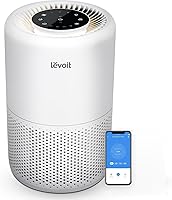
How to Clean a Levoit Air Purifier
To clean a Levoit air purifier, turn it off and unplug it, wipe the housing and clear accessible inlet dust as its manual directs. Clean only approved filter parts, use water only where allowed, and replace the main filter when due.
On this page (10 sections)
- What do you need to clean a Levoit air purifier?
- How to clean a Levoit air purifier safely
- How should you clean the pre-filter?
- How do you clean a Levoit Core 300-P?
- Does cleaning differ on the Vital 200S-P?
- What about the Levoit Vital Pet Pro?
- When should you replace the filter instead of cleaning it?
- What cleaning mistakes should you avoid?
- How do you choose a purifier that's easier to maintain?
- How to clean a Levoit air purifier and choose your next step
To clean a Levoit air purifier, turn it off and unplug it, then wipe the housing and clear accessible inlet dust as its manual directs. Clean only approved filter parts, and use water only where the instructions allow it.
The key distinction is cleaning reusable parts versus replacing used filter media. Removing surface hair can help keep an inlet clear, but it won't make a worn main filter new again.
Find the model number on your unit and match it to the Levoit manual library before opening the filter cover.
What do you need to clean a Levoit air purifier?
Start with a soft cloth, your model's manual and a clear work surface. Add a vacuum attachment or soft brush only if the instructions approve it for the part you're cleaning.
Keep removed parts on a clean surface so they don't collect more dust. If a part can be washed, arrange a drying spot before starting.
Avoid abrasive pads, stiff brushes and unapproved chemicals. Spray should never go directly into an inlet, outlet, control panel or sensor opening.
How to clean a Levoit air purifier safely
Unplug the purifier and work from the outside inward. Keep track of how the filter and cover fit so you can put them back without forcing them.
- Turn the unit off, unplug it and wait for the fan to stop.
- Read the cleaning steps for your exact model.
- Wipe the housing with the cloth and method the manual recommends.
- Clear accessible dust and hair from the inlet and outlet as directed.
- Open the filter cover using the approved steps.
- Remove only the filter parts covered by the care instructions.
- Clean reusable parts using their approved method.
- Let any washable parts dry completely.
- Reinstall the filter in the correct direction and secure the cover before reconnecting power.
Leave internal fans and electrical parts alone. If the cord or plug is damaged, stop using the purifier and contact support.
Once reassembled, check that nothing blocks the openings. Persistent unusual noise or weak airflow calls for the model's troubleshooting steps, rather than deeper disassembly.
How should you clean the pre-filter?
Treat the pre-filter according to its design, not just the Levoit brand name. A separate reusable screen can require different care from a pre-filter layer attached to a larger assembly.
Pre-filters catch hair, lint and other larger debris before it reaches finer filter material. Clearing approved reusable parts helps prevent that debris from building up in the air path.
How to clean a Levoit air purifier filter safely
Identify which layer the instructions allow you to clean before using a brush, vacuum or water. Permission to clean the outer layer does not mean you can wash the entire filter.
Don't scrub pleats or pull apart bonded layers. If you see torn material, stop and check replacement guidance rather than trying to patch it.
Washing or vacuuming also won't renew spent activated carbon. Carbon handles gases and odors differently from a screen that catches loose hair.
How do you clean a Levoit Core 300-P?
Use the Core 300-P manual for its housing, openings and 3-in-1 filter. Its check-filter indicator is a care reminder, so inspect the filter and complete the required maintenance before resetting it.
The Core 300-P suits a smaller bedroom or office where you want manual controls. Its smoke CADR is 143 CFM, with 4.8 air changes per hour in a 222-square-foot room.
Skip it if you need automatic fan adjustment or substantially more airflow for a larger space. The Core 300-P requires manual speed changes and does not include Auto Mode.
Its Sleep Mode runs at 24 dB, and the display lights can be switched off. Choose the fan speed around your room's cleaning needs, rather than leaving it at the quietest setting all day by habit.
Read our Levoit Core 300-P review for more on its controls and filtration features.
Does cleaning differ on the Vital 200S-P?
Inspect both the traditional inlet and the additional U-shaped inlet on the Vital 200S-P. Use its own filter-care instructions rather than copying the Core model's routine.
Choose this model when room size and higher airflow matter more than a compact footprint. Its smoke CADR of 250 CFM gives it more air-cleaning capacity than the other purifiers covered here.
The extra inlet is useful to consider in a pet household, where floating hair can gather around openings. It still needs inspection, and you shouldn't assume it shares the Pet Pro's auto-clean feature.
Skip it if a smaller unit already meets your room's needs and you have limited floor space. Compare the options in our Vital 200S review.
After maintenance, leave its openings clear of curtains and furniture. Our guide to where to place an air purifier explains how to keep the air path open.
What about the Levoit Vital Pet Pro?
The Vital Pet Pro reduces some pet-hair upkeep, but it still needs inspection and filter replacement. Its auto-clean pre-filter is a reason to consider it for a shedding-pet household.
Choose it if pet hair, pet odors and automatic controls are your main priorities. It combines 140 g of activated carbon with TVOC and PM2.5 sensors, plus remote control and scheduling through the VeSync app.
Levoit says its auto-clean pre-filter removes up to 95% of captured pet hair under specified lab conditions. Follow its maintenance instructions and leave the mechanism alone rather than trying to service it yourself.
Skip it if your main need is collecting fur from floors or furniture. It captures circulating airborne hair, so a vacuum remains necessary for settled debris.
For sizing, it delivers 4.8 air changes per hour in 229 square feet. Its larger one-hour coverage figure shouldn't be treated as equivalent to that faster cleaning rate.
When should you replace the filter instead of cleaning it?
Replace used main-filter media rather than trying to wash it back into service. Levoit recommends replacing the Core 300-P filter every 6 to 8 months; other models need their own replacement guidance.
The Levoit Core 300-P Filter fits the Core 300-P and Core 300S-P. It is a replacement component, not a purifier, and it isn't the filter to buy for either Vital model here.
Choose it when you already have a compatible Core unit and need fresh filter media. Its pre-filter, main filter and activated carbon address different material, so cleaning the outer surface doesn't renew all 3 layers.
Before installation, remove the new filter's plastic packaging. Seat it as shown in the manual, secure the cover and reset the reminder only according to the model's instructions.
Read how often to change an air purifier filter for a fuller replacement checklist.
What cleaning mistakes should you avoid?
Avoid soaking unapproved parts, reinstalling damp components and resetting reminders without doing the required care. These shortcuts can leave the purifier poorly maintained even when its exterior looks clean.
Other common mistakes include:
- Pressing a vacuum nozzle into delicate filter material
- Spraying cleaner through an air opening
- Running the unit with required filter parts missing
- Forcing a filter or cover that doesn't fit
- Buying a replacement based only on the brand name
- Expecting an auto-clean feature to remove settled household dust
Check installation before blaming a new filter for weak airflow. Packaging left on the filter, an incorrectly seated part or a blocked opening needs correction first.
How do you choose a purifier that's easier to maintain?
Choose for your room first, then compare the care tasks you'll repeat. A convenient filter system won't make an undersized purifier suitable for a much larger space.
Use CADR and the associated air-change rate instead of comparing headline coverage alone. Our guide to air purifier size, CADR and filters explains that choice.
Before buying, confirm the exact replacement-filter model and how its reusable parts are cleaned. Keep a simple care note with the installation date, replacement date and any recurring inlet checks.
Our best air purifier guide covers broader room and filter choices, while best Levoit air purifiers compares the brand's options.
How to clean a Levoit air purifier and choose your next step
Keep your current purifier if it fits the room and needs routine care or a compatible replacement filter. Choose the Core 300-P for a smaller room with manual controls, the Vital 200S-P for higher airflow, or the Vital Pet Pro for pet-focused maintenance features.
For how to clean a Levoit air purifier, the decision stays simple: identify the model, clean only approved parts and replace used filter media. Use our filter replacement guide to plan the next change.
Frequently asked questions
Can you wash a Levoit air purifier filter?
Wash a filter part only if your exact model's manual identifies it as washable; permission to rinse a separate pre-filter does not apply to the main filter or carbon layer. Follow the approved method and let washable parts dry completely before putting them back in the purifier.
How often should you clean a Levoit air purifier?
Use your model's maintenance schedule, with extra visual checks when dust or pet hair collects around the inlet; cleaning needs depend on the debris in your room, so one interval won't suit every home. Clear approved reusable parts as directed, and track main-filter replacement separately.
Can you vacuum a Levoit air purifier filter?
Vacuum a filter part only when the model's manual permits it, using the attachment and method it recommends; don't press into pleats, scrape the material or assume pre-filter instructions apply to the main filter. Vacuuming loose surface dust does not restore a used carbon layer.
Should you clean or replace a dirty Levoit filter?
Clean reusable parts as directed and replace the main filter when its care instructions call for it; Levoit recommends a 6 to 8 month replacement interval for the Core 300-P filter. If airflow stays weak after approved maintenance, check filter installation and troubleshooting guidance before buying another purifier.